

designing a PCB prototype
When designing a PCB prototype, selecting the right software is crucial to ensuring that the design is both efficient and functional. PCB design software provides the tools necessary to create circuit schematics, lay out components, route electrical traces, and prepare files for manufacturing. With numerous options available, it’s important to choose the software that best fits the specific needs of the PCB prototype and the complexity of the project. In this article, we will explore some of the best software options for designing a PCB prototype, highlighting their features and suitability for different types of designs.
One of the most popular and widely used software packages for PCB prototype design is Altium Designer. Known for its comprehensive set of features, Altium Designer provides a powerful platform for designing complex multi-layer PCBs with high-density interconnects (HDI). It offers an intuitive user interface, advanced 3D visualization tools, and integrated design rule checks (DRC) to prevent design errors. Altium also supports features like component management, signal integrity analysis, and thermal analysis, making it ideal for professional engineers working on high-performance PCB prototypes. However, the software is on the pricier side, which may make it more suitable for larger teams or commercial projects rather than individual hobbyists or small-scale designers.
For designers on a budget or those just starting out, KiCad is an excellent open-source alternative for pcb prototype design. KiCad is a free tool that offers many of the same features as premium software, including schematic capture, PCB layout, and 3D visualization. It is particularly praised for its active community support and regular updates, making it a reliable option for hobbyists, students, and even small businesses. KiCad supports multi-layer PCBs and has an extensive component library, making it versatile enough for a wide range of PCB prototypes. While it may lack some of the advanced analysis tools found in premium software like Altium, it is still a highly capable tool for designing functional and well-organized prototypes.
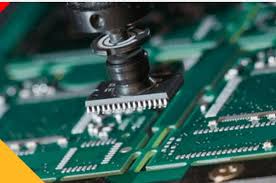
What software is best for designing a PCB prototype?
Another popular choice for PCB prototype design is Eagle, now owned by Autodesk. Eagle is known for its ease of use and affordability, making it a popular choice for hobbyists, startups, and educational institutions. The software offers a straightforward interface with schematic capture, PCB layout, and an extensive component library. It also features integrated autorouting tools to help speed up the design process. For smaller-scale projects or personal PCB prototypes, Eagle’s free version allows for a limited number of layers and board size, which may be sufficient for simpler designs. For more advanced needs, the paid versions offer more robust features, including support for larger designs and more complex layouts.
For those focusing on high-frequency designs, EasyEDA is an online-based tool that is ideal for designing PCB prototypes with a focus on simplicity and accessibility. EasyEDA offers a cloud-based platform, which allows users to work on projects from any device with internet access. It supports schematic capture, PCB layout, and simulation, with an easy-to-use interface. EasyEDA also features an integrated library of components and offers options for direct manufacturing of the PCB prototype, making it a convenient choice for users looking for a one-stop solution. While it may not have the advanced features of more established programs like Altium or KiCad, it is an excellent choice for simpler projects and those just starting to design PCB prototypes.
For engineers working on highly advanced PCB prototypes, especially those with complex designs that require deep integration and analysis, OrCAD is another high-end option. OrCAD is well-regarded for its powerful simulation tools and design verification capabilities. It offers advanced features like signal integrity analysis, thermal analysis, and electromagnetic compatibility (EMC) testing, making it ideal for mission-critical applications like aerospace, automotive, or medical device PCBs. The software provides high-level design capabilities but comes at a high cost, which may make it more suitable for large enterprises or specialized design teams.


